




Product Information
What is Dogq?
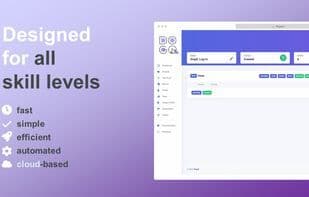
DogQ is a user-friendly, no-code web test automation platform designed to assist users of all skill levels in testing their web products. It enables users to effortlessly and swiftly execute tasks while collaborating with their teams to ensure both quality and speed.
With DogQ, you can run all your cases and scenarios simultaneously in the cloud and manage them directly through DogQ’s customized, text-based, and intuitive interface. DogQ automates tasks for you, saving valuable time. The test cases created in DogQ are readable and easy to understand, making them accessible even to non-technical team members. Additionally, DogQ emphasizes analytics and reporting features for no-code testing solutions, as the future hinges on data and clear dashboards.
Although DogQ is another web testing tool, it offers as many features as possible for anyone interested in no-code testing. All functionalities, including parallel testing and test scheduling—highly convenient for test management—are available to every user. This means you can run as many tests as needed without requiring a plan upgrade just to simplify your workflow. You can also easily invite teammates and manage projects together without per-seat charges.
DogQ appeals to both seasoned web developers and absolute beginners. Moreover, it’s designed for individuals without specific technical backgrounds. With a general understanding of how a website or web application should function, you can undoubtedly use DogQ effectively. For skilled developers, DogQ empowers them to build automated test scenarios for UI, end-to-end (e2e), regression, functional, and other types of web testing. By leveraging DogQ, teams can focus on more critical tasks instead of spending time on tedious or manual testing processes.
How to use Dogq?
No usage instructions available, please contact customer service for details
Core Functions of Dogq
No Coding Required
Test automation
Availability testing
Web Testing
Usage Scenarios of Dogq
No usage scenarios available, please contact customer service for details
Common Questions about Dogq
No common questions available, please contact customer service for details



















