



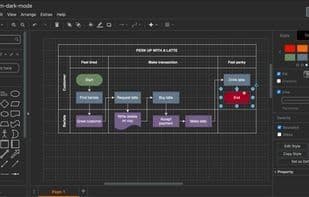

Product Information
What is Draw.io?
draw.io (also known as Diagram.net) is a free online diagramming application designed for workflows, BPM, organizational charts, UML, ER, and network diagrams. No login or registration is required, and it features local saving (including SVG), a variety of templates, and the ability to import .vsdx, Lucidchart, and Gliffy files.
You can also store your diagrams in the cloud (such as Google Drive) and collaborate in real-time with other draw.io users to edit them.
Additionally, you can create a diagram from a CSV file by specifying which nodes connect to which others.
How to use Draw.io?
Draw.io is a free online diagramming tool supporting multiple chart types, offering real-time collaboration, local saving, and cloud storage features. It emphasizes security and privacy, requiring no registration or login.
Core Functions of Draw.io
Lightweight, Privacy-Focused, Flowcharts, Offline Available, Export to PDF, Mind Maps
Usage Scenarios of Draw.io
- Draw workflow diagrams, BPM diagrams, organizational charts, UML diagrams, ER diagrams, and network diagrams.
- Store diagrams in the cloud (e.g., Google Drive) and collaborate with other users in real-time.
- Generate diagrams from CSV files to minimize manual work.
- Collaborate on visual documentation in distributed teams.
- Use and edit diagrams offline via desktop applications.
- Embed and edit diagrams directly in Notion.
Common Questions about Draw.io
What does Draw.io do?
How do I use Draw.io?
What are the core features of Draw.io?
What are the use cases for Draw.io?



















