




Product Information
What is Eclipse che?
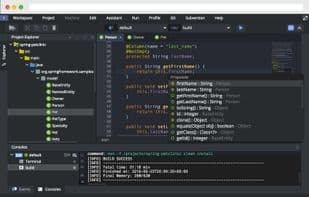
Eclipse Che is an open-source project under the Eclipse Top-Level Project. It is named after the city of Cherkasy in Ukraine, where its development began. Eclipse Che introduces a novel workspace concept composed of projects and runtimes, making their state distributable, portable, and versionable. By leveraging containers and web services, it brings reproducibility, consistency, and performance to workspaces. It is a browser-based IDE that supports any framework or programming language. With workspace portability and cloud export capabilities, you can take your projects and runtimes anywhere.
The Che server manages the lifecycle of workspaces and can be customized with plugins. Any client can communicate with the workspace server and any generated workspaces.
A workspace is an isolated, personal space for developers to work in. Whether developers access the workspace via API, browser, CLI, or SSH, their projects remain synchronized and consistent. Plugins can inject services into workspaces based on project types, ensuring each workspace is tailored to the projects it manages.
Che is used by major organizations like Red Hat, Samsung, and SAP, as well as millions of individual developers.
How to use Eclipse che?
Eclipse Che is an open-source developer workspace server and cloud IDE that defines a new kind of workspace composed of projects and runtimes, making it distributable, portable, and versionable. It provides a browser-based IDE supporting any framework or programming language, ensuring workspace consistency and performance via containers and web services.
Core Functions of Eclipse che
Continuous Integration
Usage Scenarios of Eclipse che
- Used by large organizations (e.g., Red Hat, Samsung, SAP) for their development environments.
- Used by millions of individual developers for daily programming tasks.
- Developers access and sync projects via API, browser, CLI, or SSH.
- Customize and optimize development workspaces with plugins based on project types.
Common Questions about Eclipse che
What does Eclipse Che do?
How do I use Eclipse Che?
What are the core features of Eclipse Che?
What are the use cases for Eclipse Che?



















