



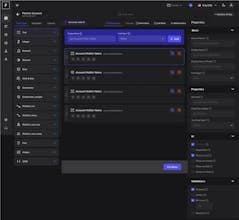

Product Information
What is Fab-builder?
FAB Builder is praised for its intuitive drag-and-drop interface and pre-built components, making app design accessible even to those without extensive coding knowledge. Users appreciate its ability to work across various tech stacks, facilitating quick and efficient code generation for a wide range of applications. The platform's streamlined process and all-in-one functionality free developers from juggling multiple tools, boosting productivity and cutting down development time. Despite its customization options, further enhancements could increase its versatility. Overall, FAB Builder is a valuable resource for efficient and reliable code generation.
How to use Fab-builder?
FAB Builder is an all-in-one platform with AI-powered no-code tools for quickly creating, analyzing, and managing apps via drag-and-drop interfaces and pre-built components to boost development efficiency.
Core Functions of Fab-builder
Lightweight
Support Themes
No Coding Required
Ad-Free
Dark Mode
Real-time collaboration
Intuitive drag-and-drop interface
Quickly generate application code
Provide pre-built components and templates
AI-assisted app development
Real-time user behavior analysis
Multi-channel customer interaction management
Usage Scenarios of Fab-builder
- Design applications with no coding required
- Quickly and efficiently generate various application codes
- Create and manage branded microsites for client campaigns
- Boost efficiency for marketers and development teams
- Develop and optimize web and mobile applications
- Track user behavior and analyze data
Common Questions about Fab-builder
What does FAB Builder do?
How do I use FAB Builder?
What are the core features of FAB Builder?
What are the use cases for FAB Builder?



















