



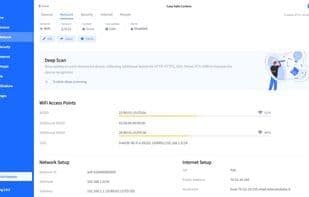

Product Information
What is Fing?
Fing, the number one network scanner, is trusted by over 100 million users worldwide. With just a few clicks, you can discover and identify all devices connected to your Wi-Fi, monitor your ISP's performance, set up automatic security checks, and detect router vulnerabilities.
With Fing, you can:
- Discover all devices on your home network and identify bandwidth thieves.
- Associate each device with a user profile to quickly see who’s home and when.
- Get precise device identification with extensive details (IP address, MAC address, device name, model, vendor, and manufacturer).
- Detect hidden cameras connected to the same Wi-Fi network.
- Schedule automatic speed tests and generate detailed reports on ISP performance.
- Run router vulnerability tests.
- Analyze advanced settings like NetBIOS, UPnP, SNMP, SMB, Bonjour names, attributes, and device types.
- Perform port scans, device pings, traceroutes, and DNS lookups.
- Check internet outages, ISP ratings, reviews, and speed statistics in your area.
Fing is free to download and ad-free. It works on PCs (Windows and macOS) and mobile devices (Android and iOS). By pairing the mobile and PC apps, you’ll enjoy continuous monitoring and more accurate results, even while on the go.
If you’re looking for extended monitoring and network protection for your devices, you can upgrade to Fing Premium for access to additional features:
- Automatic network monitoring every 5 minutes.
- Automatic router vulnerability checks.
- Unlimited network troubleshooting tools.
- Advanced security checks.
- Email and mobile notifications for unknown devices.
- Complete network timeline.
How to use Fing?
Fing is a network scanning tool that helps users discover and identify devices on Wi-Fi networks, monitor ISP performance, and conduct automated security checks and router vulnerability scans.
Core Functions of Fing
Network discovery
Route Tracking
Network Scanner
Network Tools
Remote wake-up
Internet speed test
Usage Scenarios of Fing
- Discover all devices on your home network and identify bandwidth hogs.
- Associate devices with user profiles to quickly see who's home.
- Detect hidden cameras connected to the same Wi-Fi network.
- Schedule automatic speed tests and generate detailed ISP performance reports.
- Run router vulnerability tests.
- Browse network outages, ISP ratings, reviews, and speed stats in your area.
Common Questions about Fing
What does Fing do?
How do I use Fing?
What are the core features of Fing?
What are the application scenarios for Fing?




















