




Product Information
What is Freemeter?
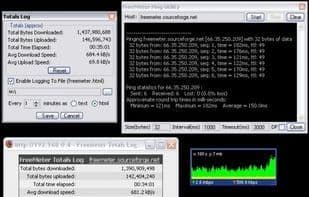
Monitor network bandwidth (C#.NET 2k/XP+). Desktop and system tray icons. Configurable connection speed, update interval, colors, transparency. Monitor any or all network interfaces. Ping/Trace/UPnP utilities. Email notifier (POP/IMAP).
How to use Freemeter?
FreeMeter is a network bandwidth monitoring tool that displays network traffic graphs on the desktop and system tray, helping users track real-time network usage.
Core Functions of Freemeter
Lightweight
Customizable
Portable
Traffic monitoring
Hotkey Support
Usage Scenarios of Freemeter
- Monitor computer network bandwidth usage in real-time
- View network traffic changes visually via desktop or system tray charts
- Configure and adjust network connection speed, update intervals, and display styles
- Use Ping, Trace, and UPnP tools for network diagnostics
- Receive POP/IMAP email notifications
Common Questions about Freemeter
What does FreeMeter do?
How do I use FreeMeter?
What are the core features of FreeMeter?
What are the use cases for FreeMeter?



















