



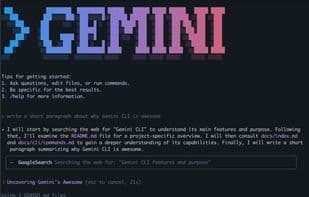

Product Information
What is Gemini cli?
A command-line AI workflow tool that connects to your tools, understands your code, and accelerates your workflow. Gemini CLI is Google's open-source terminal AI agent, powered by the Google Gemini 2.5 Pro model. It enables natural language interactions directly in the command line, allowing developers to generate, explain, debug, and refactor code, execute shell commands, and perform content or research tasks without leaving the terminal.
This tool provides real-time grounding via Google Search, supports scripting and automation, and is fully extensible through the Model Context Protocol (MCP) and custom prompt files. It can be used for free with a Google account, though with significant limitations, and integrates with Gemini Code Assist for a consistent workflow across terminal and IDE environments.
With Gemini CLI, you can:
- Query and edit large codebases within and beyond Gemini’s 1M-token context window.
- Leverage Gemini’s multimodal capabilities to generate new applications from PDFs or sketches.
- Automate operational tasks like querying pull requests or handling complex rebases.
- Extend functionality by connecting new tools and MCP servers, including media generation with Imagen, Veo, or Lyria.
- Perform queries using Gemini’s built-in Google Search tool.
How to use Gemini cli?
Gemini CLI is a command-line AI workflow tool that brings Google Gemini 2.5 Pro directly to developers' terminals, accelerating coding tasks like generation, explanation, debugging, and refactoring through natural language interaction.
Core Functions of Gemini cli
Command Line Interface
Script Support
Support for Model Context Protocol (MCP)
Context-Aware Help
Shell Integration
Code Generation
Usage Scenarios of Gemini cli
- Query and edit large codebases.
- Leverage multimodal capabilities to generate new apps from PDFs or sketches.
- Automate operational tasks like querying pull requests or handling complex code rebases.
- Provide real-time information for queries via Google Search tools.
- Generate, explain, debug, and refactor code.
- Execute shell commands and perform content or research tasks.
Common Questions about Gemini cli
What does Gemini CLI do?
How do I use Gemini CLI?
What are the core functionalities of Gemini CLI?
What are the application scenarios of Gemini CLI?


















