




Product Information
What is Gitup?
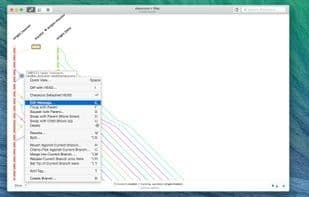
GitUp was created to invent a new model of Git interaction, enabling engineers at all levels to work quickly, safely, and effortlessly. From its construction (directly interacting with Git databases on disk) to its operation (manipulating the repository graph rather than commits), it differs from any other Git client.
With GitUp, you get a truly efficient Git client for Mac:
- A live, interactive repository graph (edit, reorder, fix, merge commits…),
- Unlimited undo/redo for nearly all operations (even rebases and merges),
- Time Machine-like snapshots for one-click rollback to previous repository states,
- Features absent in Git itself, such as a visual commit splitter or a unified reflog browser,
- Instant search across the entire repository, including diff content,
- An incredibly fast UI, often quicker than the command line.
How to use Gitup?
GitUp is a Git client designed for Mac engineers, enabling engineers of all levels to perform Git operations quickly, safely, and effortlessly through an innovative Git interaction model, directly interacting with the Git database rather than traditional commit operations.
Core Functions of Gitup
Git support
Tree view
Usage Scenarios of Gitup
- Edit, reorder, fix, merge commits, and more.
- Undo/redo almost any operation unlimited times, including rebase and merge.
- Roll back to previous repository states with time machine-like snapshots.
- Visually split commits or browse reflog uniformly.
- Instantly search the entire repository, including diff content.
- Git beginners safely learn and experiment with Git operations.
Common Questions about Gitup
What does GitUp do?
How do I use GitUp?
What are the core features of GitUp?
What are the use cases for GitUp?















