




Product Information
What is Hekapad?
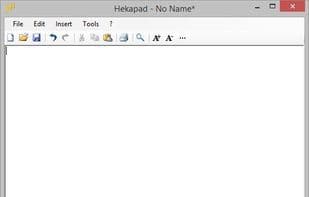
Hekapad is a free, fully-featured lightweight Windows text editor. It can serve as a replacement for the classic Notepad, equipped with some cool features.
If not closed properly, Hekapad automatically saves backup copies of opened documents. It quietly creates backups of your work in the background, ensuring you never lose a single character of your document. Every time you launch Hekapad, it checks for lost documents and prompts you to recover them.
With Hekapad, you can easily import documents into the one you're currently working on. The import tool allows you to append any plain text file to your active document, enabling you to merge two or more text files into a single file.
How to use Hekapad?
Hekapad is a free, fully-featured, and lightweight Windows text editor designed to replace the traditional Notepad, offering automatic backup and document import features to prevent data loss.
Core Functions of Hekapad
Lightweight
Multilingual
Tabbed interface
Usage Scenarios of Hekapad
- Replace Windows Notepad for text editing
- Edit text files without losing content from accidental closures
- Import or merge multiple plain text files into one document
- Recover documents lost due to abnormal program closures
Common Questions about Hekapad
What does Hekapad do?
How do I use Hekapad?
What are the core features of Hekapad?
What are the use cases for Hekapad?



















