




Product Information
What is Inssider?
Let's face it: Wi-Fi is everywhere these days, and the built-in Wi-Fi tools and free utilities designed to help us understand Wi-Fi environments just can't keep up. These tools can't tell you how many access points are on the same network, nor can they reveal how many SSIDs a specific radio is broadcasting.
For today's Wi-Fi landscape, you need a professional tool that accurately shows both the physical and logical state of your Wi-Fi environment. It should also handle everything from legacy 802.11b networks all the way up to 802.11ac, and it ought to be affordable enough that you don't have to spend hundreds just to get your Netflix working properly.
Meet inSSIDer—designed specifically for today's Wi-Fi environments.
View by ESSID (groups all radios with the same SSID together)
View by Radio (groups all SSIDs on the same radio together)
Graphs showing signal strength over time for all radios sharing the same ESSID
Accurate list of conflicting APs (not an exaggerated list of all ESSIDs)
Channel recommendations for each station
Powerful filtering to quickly narrow down networks of interest
802.11ac support (only requires a dual-band .11n adapter!)
How to use Inssider?
inSSIDer is a Wi-Fi analysis tool designed to help users visualize and understand their Wi-Fi environment, identify issues affecting network performance, and provide optimization suggestions to solve slow Wi-Fi problems.
Core Functions of Inssider
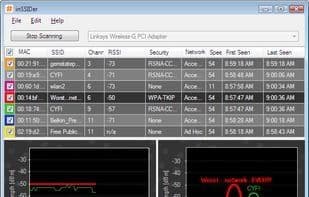
Network Scanner
Usage Scenarios of Inssider
- Choose the Best Channel for Indoor Wi-Fi
- Understand and Showcase Customer Wi-Fi Environments
- Manage Wireless Access Points for Small Offices
- Analyze Wi-Fi Configurations to Improve Speed and Security
- Quickly Find Access Point Details
- Discover the Busiest Wi-Fi Channels
Common Questions about Inssider
What does inSSIDer do?
How do I use inSSIDer?
What are the core features of inSSIDer?
What are the use cases for inSSIDer?



















