




Product Information
What is Kitty?
KiTTY is an open-source terminal emulator, forked from PuTTY, which introduces numerous additional features to the original software.
Top requested features:
- Session filter
- Portability
- Shortcuts for predefined commands
- Session launcher
- Automatic login scripts
- Automatic login scripts with RuTTY patches
- URL hyperlinks
Technical features:
- Automatic password entry
- Automatic commands
- Running locally saved scripts on remote sessions
- ZModem integration
Graphical features:
- Unique icon per session
- Send to tray
- Transparency
- Protection against accidental keystrokes
- Roll-up feature
- Always visible
- Quick launch for duplicate sessions
- Configuration box
Additional features:
- Auto-save
- SSH handler: Internet Explorer integration
- pscp.exe and WinSCP integration
- Binary compression
- Clipboard printing
- PuTTYCyg patches
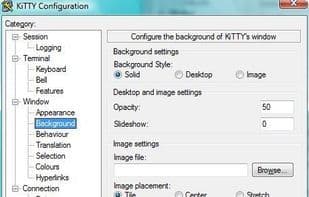
- Background images
- File associations
- Other settings
- New command-line options
Bonus:
- A lightweight chat server hidden within KiTTY
- Hidden text editor integrated into KiTTY
How to use Kitty?
KiTTY is an open-source terminal emulator based on PuTTY, designed to enhance the original software's experience with additional features.
Core Functions of Kitty
Support Themes
Lightweight
SSH
Conversation management
Portable
SSH tunneling
Usage Scenarios of Kitty
- Filter and manage multiple sessions
- Use shortcuts to execute predefined commands
- Automate login scripts
- Run locally saved scripts in remote sessions
- Send programs to the system tray to save space
- Quickly launch a repeated session
Common Questions about Kitty
What does KiTTY do?
How do I use KiTTY?
What are the core features of KiTTY?
What are the use cases for KiTTY?




















