




Product Information
What is Lines code editor?
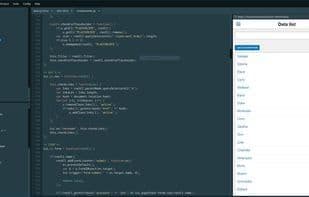
Lines is a modern, minimalist text editor - IDE that supports over 150 programming languages, built-in code inspection, and many other cool tools to help you write better code.
Features:
Integrated web browser (WebKit) and developer tools
Custom project-based commands for external tools
Option to run in a single window (no tabs, panels...)
Code outline with filtering
Auto-completion
Multi-caret editing
Column selection
Project explorer
F1 command button displays a list of open documents
Toggle (comment/uncomment) code with shortcuts
Real-time error checking
Open folders as projects from the context menu or main menu
Run and debug JavaScript and Node code interactively
No lag! Lines won’t slow you down
Find/replace text with regex support
Large file loading/editing support
Color schemes automatically match the UI theme
Start page showing all recent projects and files
Syntax highlighting for 150 languages
37 code editor and UI themes
Auto-refresh mobile emulator or browser on file save
Open multiple projects in separate windows
Beautify code with a single command (shortcut)
Remove/merge empty lines
Unix/Windows line ending support
Custom file templates
Custom text snippets
Clone documents with a single command
Double-click CSS colors to open the color picker
TODO panel highlights important items if you forget something
Support for any monospaced font in the code editor
Method function parameters in the outline panel
And more...
How to use Lines code editor?
Lines code editor is a modern and minimalist text editor and integrated development environment (IDE) that supports over 150 programming languages. It comes with built-in code inspection and a variety of tools designed to assist developers in writing higher-quality code.
Core Functions of Lines code editor
Distraction-free
Auto-Completion
Syntax Highlighting
Work Offline
Built-in color picker
Javascript scripting
Usage Scenarios of Lines code editor
- Write and edit code in over 150 programming languages.
- Run and debug JavaScript and Node.js code.
- Develop web pages using built-in browsers and developer tools.
- Automatically refresh mobile simulators or browsers when saving files.
- Manage multiple projects and open them in different windows.
- Use the TODO panel to track important tasks.
Common Questions about Lines code editor
What does the Lines code editor do?
How do I use the Lines code editor?
What are the core features of the Lines code editor?
What are the use cases for the Lines code editor?


















