




Product Information
What is Linkeye?
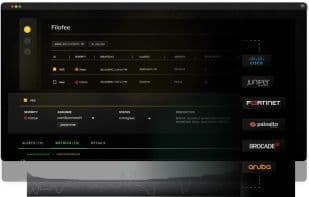
LinkEye is a modern, stylish network observation platform that provides a comprehensive view of campus networks, covering all aspects from ISP circuits, LAN and Wi-Fi to user application experiences. Unlike traditional monitoring tools, LinkEye can perform automated troubleshooting for ISP and Wi-Fi performance issues through its API integration, helping to reduce MTTR and enhance user experience. It offers out-of-the-box automation features such as automatic configuration backup and discrepancy checks, automatic CVE audits, automatic EOS and EOL tracking, among others.
The digital experience module assists IT teams in proactively detecting application issues and diagnosing whether these problems stem from service provider network issues. As a vendor-agnostic platform supporting over 100 vendors, it provides network engineers with a single pane of glass to visualize, troubleshoot, and manage complex networks.
How to use Linkeye?
Linkeye is a modern network observability platform that provides a comprehensive view of campus networks, including ISP lines, LANs, Wi-Fi, and user application experiences. It assists network engineers in visualizing, troubleshooting, and managing complex networks through AI-driven insights and automation, enabling proactive network assurance.
Core Functions of Linkeye
Privacy protection prioritized
Ad-Free
Website Monitoring
SLA Monitoring
Usage Scenarios of Linkeye
- Simplify WAN line monitoring and management.
- Automatically troubleshoot ISP and Wi-Fi performance issues.
- Proactively detect app issues and diagnose network failure causes.
- Visualize and manage multi-vendor networks (Wi-Fi, LAN, WAN).
- Quickly diagnose root causes of network failures with AI-driven automation.
- Automate configuration backups, CVE audits, and SLA reports.
Common Questions about Linkeye
What does Linkeye do?
How do I use Linkeye?
What are the core features of Linkeye?
What are the use cases for Linkeye?



















