




Product Information
What is Logmein rescue?
Technician Console
The Technician Console is an online interface designed to support technicians in conducting remote support sessions. Technicians can initiate new sessions or respond to online customer requests waiting in a shared queue.
Windows and Mac desktop applications enable technicians to access their console with a single click, allowing them to provide support faster without needing a browser.
Multiple simultaneous active sessions can be conducted using the following features:
• Directly connect with customers via code or email link
• Desktop viewing and remote control, including a whiteboard
• Detailed session history and notes
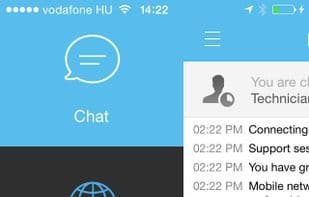
• Chat interface with predefined responses, URL push, and file transfer
• Comprehensive system diagnostics, including restart and reconnect
• Shared global queue
Customer Applet
With customer consent, this small .exe file is automatically downloaded to the remote PC. It serves as the interface for technicians to communicate with customers and provide remote support. At the end of the session, the applet automatically removes itself from the remote PC.
The applet offers remote customers:
• Interactive chat and detailed session history
• Prompts to allow or deny technician access to all features
• File transfer to technicians
• Ability to stop remote control or disconnect at any time
Administrative Hub
Administrators use this intuitive online interface to create and assign permissions for other admins, technicians, and groups. They can also create support channels (web-based links that automatically connect customers with technicians) and assign them to specific groups.
The Admin Center allows administrators to:
• Create technician groups and assign granular permissions
• Allocate support channels to specific technician groups
• Enable and view technician performance reports
• Enable and view customer satisfaction reports
How to use Logmein rescue?
LogMeIn Rescue is a remote support tool designed to help technicians quickly and efficiently conduct remote support sessions to resolve customers' technical issues.
Core Functions of Logmein rescue
Screen Sharing
Desktop Sharing
Remote support
VNC Support
Usage Scenarios of Logmein rescue
- Technicians remotely control customer computers for troubleshooting.
- Customers obtain technical support through online requests.
- Administrators assign permissions to technicians and manage support teams.
- Create support channels for customers to automatically connect with technicians.
- Technicians engage in real-time chat and file transfer with customers.
Common Questions about Logmein rescue
What does LogMeIn Rescue do?
How do I use LogMeIn Rescue?
What are the core features of LogMeIn Rescue?
What are the use cases for LogMeIn Rescue?



















