




Product Information
What is Logscrutinizer?
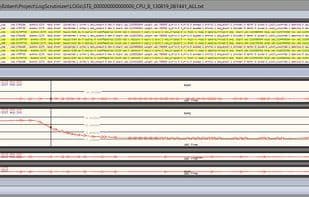
LogScrutinizer is a small and straightforward program designed for analyzing text-based logs, and it comes at no cost. Its primary strength lies in its plugin concept, which allows for easy visualization of system behavior through graphical charts and seamless switching between text logs and graphical representations.
As an embedded software developer, you often face the reality that the only information needed to diagnose issues is captured in text logs when the system fails. If you're fortunate, you might have some well-formatted logs to assist you, and if you have ample time to analyze them, even better. If luck isn’t on your side, you might be stuck with a pile of logs from yesterday demanding your attention. LogScrutinizer aims to provide alternative views of your logs. It empowers you to leverage your expertise by extracting crucial information from logs using text filters and graphical charts. Once you create these templates, you can reuse them effortlessly, enabling you to quickly identify system behavior time and again. By developing your own unique plugins, you can display logs through different graphs—the most efficient way to gain an overview of the entire log.
**Text Filters**
By defining text filters, you can hide irrelevant entries and focus on those that aid your current analysis phase.
Text and background colors can further highlight critical logs.
**Handling Large Text Files**
Capable of processing large text logs (+4GB), with the option to disable portions of the log to speed up searches and filtering.
Filtering and graph generation are extremely fast—filtering a 400MB log takes less than 4 seconds on a decent computer.
**Line Trimming**
Allows you to ignore certain sections of the log while running filters, plugins, and searches, further enhancing processing speed.
How to use Logscrutinizer?
LogScrutinizer is a compact program designed for analyzing text logs. It employs a plugin concept to graphically visualize system behavior and allows switching between text logs and graphical representations. Its purpose is to assist users in efficiently extracting crucial information from logs and swiftly pinpointing system issues.
Core Functions of Logscrutinizer
Logging
Usage Scenarios of Logscrutinizer
- Embedded software developers analyze captured text logs during system failures to troubleshoot issues.
- Quickly process large log files, especially under tight deadlines.
- Hide irrelevant log information with text filters to focus on key analysis stages.
- Visualize system behavior with graphical charts for a more intuitive understanding of logs.
- Handle oversized text log files exceeding 4GB and disable partial logs to speed up searches and filtering.
- Create and reuse analysis templates to quickly pinpoint system behavior.
Common Questions about Logscrutinizer
What does LogScrutinizer do?
How do I use LogScrutinizer?
What are the core features of LogScrutinizer?
What are the application scenarios for LogScrutinizer?




















