




Product Information
What is Macvim?
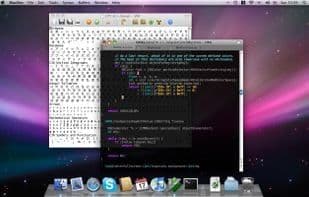
MacVim is a port of the text editor Vim to macOS. MacVim supports multiple windows with tabbed editing and numerous other features, such as:
Bindings to standard macOS keyboard shortcuts (CMD+Z, CMD+V, CMD+A, CMD+G, etc.),
Transparent backgrounds,
Full-screen mode,
Multi-byte editing with macOS input methods and automatic font substitution,
ODB editor support,
and more.
How to use Macvim?
MacVim is a version of the Vim text editor ported to the macOS platform, providing macOS users with powerful text editing capabilities and native system feature support.
Core Functions of Macvim
No Registration Required
Usage Scenarios of Macvim
- Edit text in multiple windows and tabs on macOS.
- Use macOS standard keyboard shortcuts for efficient text manipulation.
- Focus on coding or document writing in full-screen mode.
- Handle text content with multi-byte characters.
- Use as an ODB editor support tool.
Common Questions about Macvim
What does MacVim do?
How do I use MacVim?
What are the core features of MacVim?
What are the application scenarios for MacVim?



















