




Product Information
What is Magnet-2?
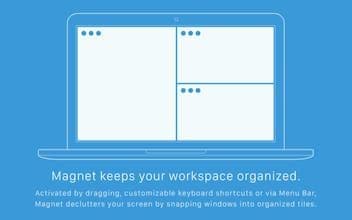
Magnet organizes your workspace. With drag-and-drop, customizable keyboard shortcuts, or activation via the menu bar, Magnet declutters your screen by snapping windows into organized tiles.
How to use Magnet-2?
Magnet is a window management tool for Mac that organizes workspaces by snapping windows into tiled layouts, reducing app switching and improving multitasking efficiency.
Core Functions of Magnet-2
Activate by Dragging, Custom Keyboard Shortcuts, or Menu Bar
Snap Windows into Organized Tiled Layouts
Supports Full-Screen, Half-Screen, Quarter-Screen, and Third-Screen Layouts
Supports Up to Six External Monitors
Maximize, Half-Screen, Quarter-Screen, and Third-Screen via Edge Dragging
Smooth Adaptation to Vertical Screen Displays
Usage Scenarios of Magnet-2
- Organize and Optimize Workspaces
- Reduce Screen Clutter and Maintain Tidiness
- Perform Multi-Window Copying, Comparison, and Multitasking
- Eliminate App Switching and Improve Multitasking Efficiency
- Efficiently Manage Windows Across Different Workspaces and Monitors
- Adapt to Vertical Monitor Layouts
Common Questions about Magnet-2
What does Magnet do?
How do I use Magnet?
What are the core features of Magnet?
What are the use cases for Magnet?


















