




Product Information
What is Multivnc?
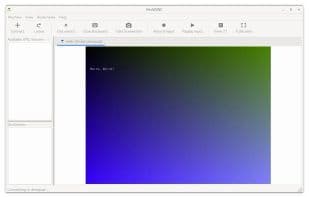
MultiVNC is an open-source VNC viewer designed to be easy to use and fast. It includes the following features:
Support for most VNC encodings, including Tight.
TLS support, specifically AnonTLS and VeNCrypt.
UltraVNC repeater support.
Discovery of VNC servers advertising themselves via ZeroConf.
Bookmarks for connections.
Import and export of saved connections.
Virtual mouse button controls with haptic feedback.
Two-finger swipe gesture recognition.
Ultra-fast trackpad mode for local use.
Hardware-accelerated OpenGL drawing and scaling.
Support for server framebuffer resizing.
Copy and paste between Android devices.
How to use Multivnc?
MultiVNC is an open-source VNC viewer designed to deliver an easy-to-use, fast remote desktop connection experience.
Core Functions of Multivnc
No Registration, VNC Viewer, Zero Configuration
Usage Scenarios of Multivnc
- Remotely connect to VNC servers for operations
- Securely access remote desktops
- Discover and connect to VNC servers on the local network
- Perform remote desktop operations on Android devices with clipboard support
- Save and manage frequently used VNC connections
Common Questions about Multivnc
What does MultiVNC do?
How do I use MultiVNC?
What are the core features of MultiVNC?
What are the use cases for MultiVNC?



















