




Product Information
What is Netx - network discovery tools?
Network Scanning: Discover all devices connected to the network.
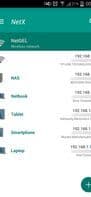
Display the most important information for each connected device: IP address, MAC address, vendor, Bonjour name, NetBIOS name, and domain.
Wake-on-LAN (WOL): Turn on remote devices from your phone or tablet when connected via WiFi or mobile data.
Secure SHell (SSH): Put remote devices to sleep or shut them down from your phone or tablet when connected via WiFi or mobile data.
Display the installed operating system version on remote devices. (An SSH server must be installed and running on the remote device.)
Load all previously detected devices in the network offline.
Manually add new networks or devices to manage all features for undetected devices.
Display information about WiFi connections (external IP, signal strength, download and upload speeds, subnet mask, gateway, DNS).
Display information about mobile providers (external IP, signal strength, download and upload speeds, CID, LAC, MCC, MNC).
WiFi Scanning: Find nearby WiFi networks and display SSID, signal strength, channel, and encryption.
Graphically display bandwidth and channel overlap for WiFi networks.
Monitor and diagnose remote devices: Show CPU usage, RAM usage, and available disk space.
Available themes.
Supported languages: English, Italian, German, and Russian.
How to use Netx - network discovery tools?
NetX is a network discovery tool that identifies and manages devices connected to WiFi and mobile networks, offering network analysis, monitoring, and diagnostics for comprehensive network control.
Core Functions of Netx - network discovery tools
Network Tools
Network Scanner
Network discovery
Usage Scenarios of Netx - network discovery tools
- Discover and view details of all devices on the LAN, such as IP, MAC, and vendor info.
- Remotely wake up or shut down home computers from anywhere via phone.
- Analyze current WiFi signal strength, channels, and encryption to optimize settings.
- Monitor remote server CPU, RAM usage, and disk space for diagnostics.
- Get alerts when new devices join the WiFi network for enhanced security.
- Use Ping tools to test connectivity or scan common ports.
Common Questions about Netx - network discovery tools
What does NetX do?
How do I use NetX?
What are the core functions of NetX?
What are the application scenarios of NetX?




















