




Product Information
What is Notimon?
Monitor your email alert service and detect if it has stopped working before users complain.
Before losing data, monitor your backup service emails and detect if your backup notifications aren’t being sent (and possibly the backup is corrupted!).
Monitor your website’s password reset functionality and detect when it’s broken to avoid frustrating your users. Notimon provides users with an email address that will monitor expected emails. Users subscribe this address to the email service they want to monitor, then set the expected threshold for when the emails should arrive to ensure everything is functioning properly.
Password resets can be monitored by configuring a website uptime check (such as UptimeDoctor) to submit the password reset form, then verifying whether the reset email arrives at Notimon.
How to use Notimon?
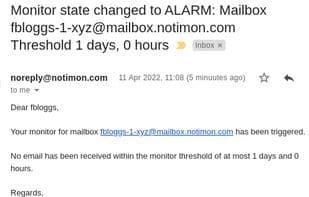
Notimon is an email monitoring service that detects whether expected periodic emails arrive on time, identifying and resolving issues before they affect users. It monitors emails to ensure critical services like reminders, backup notifications, and password resets are functioning properly.
Core Functions of Notimon
Application Monitoring
Uptime Monitoring
Email automation
Usage Scenarios of Notimon
- Monitor email alert services to detect issues before services stop working, avoiding user complaints
- Monitor backup service emails to detect undelivered backup notifications and prevent data loss
- Monitor website password reset functionality to detect and fix issues before they fail, avoiding user experience damage
- Monitor password reset functionality by configuring website uptime checks to POST requests to the password reset form and then checking if the reset email arrives at Notimon
Common Questions about Notimon
What does Notimon do?
How do I use Notimon?
What are the core features of Notimon?
What are the application scenarios of Notimon?



















