




Product Information
What is Oka wifi speed test?
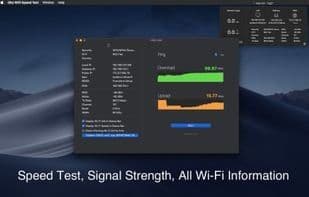
Oka WiFi Speed Test is your essential diagnostic tool for testing network speed and checking signal strength, encompassing all the information you need.
Supports Dark Mode—thanks again to Apple's excellent development SDK, making it effortless to support both light and dark themes. Since I developed this app, supporting both light/dark modes has been straightforward.
Network speed testing, accuracy of download/upload results, and checking network stability.
Signal strength, RSSI, noise, DNS, channel bandwidth, and more.
Network usage monitoring. Easily check everything in the status/menu bar.
All details, including LAN IP, gateway IP, public IP, MAC address, BSSID, and even ISP information, are readily viewable within the app.
The Wi-Fi scanning analysis tool offers the ability to scan surrounding wireless network signals. It provides a graphical interface for signal strength and supports automatic filtering of Wi-Fi lists based on network name, mode, channel width, security, and vendor conditions.
How to use Oka wifi speed test?
Oka WiFi Speed Test is a network diagnostic tool designed to help users test network speed, check signal strength and stability, and provide comprehensive network information.
Core Functions of Oka wifi speed test
Internet speed test
Usage Scenarios of Oka wifi speed test
- Test internet download and upload speeds
- Check Wi-Fi signal strength and network stability
- Monitor network usage
- View detailed network parameter information, such as IP and MAC addresses
- Analyze surrounding wireless network signals and filter them
Common Questions about Oka wifi speed test
What does Oka WiFi Speed Test do?
How do I use Oka WiFi Speed Test?
What are the core features of Oka WiFi Speed Test?
What are the use cases for Oka WiFi Speed Test?



















