




Product Information
What is Omnify hotspot?
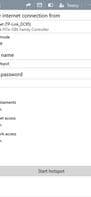
Omnify Hotspot is the best virtual router software to turn your PC into a Wi-Fi hotspot and repeater.
A Wi-Fi hotspot allows you to create a wireless access point and share your internet. It's easy to use and quick to set up—just provide a name and password, then connect your smartphones, tablets, media players, e-readers, printers, laptops, and other wireless devices. The network name can even include Unicode characters and emojis.
Instantly share any Ethernet, Wi-Fi, VPN, tethered, or 3G/4G LTE connection with friends, colleagues, and your own devices. You can share your mobile data plan via tethering or using a USB adapter. Keep all your devices online effortlessly, no matter where you are.
A Wi-Fi repeater enables you to extend the range of an existing wireless network. If you're already connected to a network, you can activate the repeater to instantly boost its signal strength and coverage. This helps you connect all your devices to Wi-Fi with a reliable connection.
In bridge mode, your devices connect directly to the network you're sharing. This makes it easier to share files, printers, and other content across all devices. In normal mode, your devices remain invisible to the shared network and instead connect through your computer.
Easily create new profiles in the Wi-Fi hotspot and repeater with your own settings and connected devices. Whether you're at home, traveling, or visiting friends, you can switch profiles anytime without needing to remember names and passwords. You can also use it to set up a guest network in seconds.
Ads are everywhere on the internet, disrupting and slowing down your browsing experience. Enjoy a cleaner, faster web by blocking annoying and unwanted ads on devices connected to your hotspot. It even blocks ads in apps on iPhones, iPads, and Android devices.
Within a network, bandwidth is shared among all connected devices. If one device consumes excessive bandwidth (e.g., using torrents or other P2P software), it can negatively impact the performance of other devices. With bandwidth control, you can set download and upload speed limits for each device to minimize interference.
Access rules define criteria for allowing or denying traffic from connected devices. You can decide whether connected devices should, by default, access your local network and the internet. Additionally, custom access rules can be set per device to override the defaults. Now you can share your internet while keeping your computer and network secure.
Whether you're staying at a hotel or using in-flight Wi-Fi, you don’t want to pay network fees for every device. Simply connect to their network, start a hotspot, and get all your devices online for the price of one. You can also share a 3G/4G LTE connection to avoid Wi-Fi charges altogether.
How to use Omnify hotspot?
Omnify Hotspot is virtual router software that turns your computer into a Wi-Fi hotspot and repeater, helping you share internet connections and extend wireless network coverage.
Core Functions of Omnify hotspot
Wi-Fi Sharing
Network Tools
Wireless
Usage Scenarios of Omnify hotspot
- Share your computer's Ethernet, Wi-Fi, VPN, network sharing, or 3G/4G LTE connection with other devices.
- Extend the coverage of existing wireless networks and enhance signal strength.
- In hotels or on airplanes, pay for one device and let all devices connect via hotspot.
- Create network profiles with independent settings and connected devices for easy switching between scenarios.
- Create a guest network for easy connections by others.
- In bridge mode, facilitate file and printer sharing between connected devices.
Common Questions about Omnify hotspot
What does Omnify Hotspot do?
How do I use Omnify Hotspot?
What are the core features of Omnify Hotspot?
What are the use cases for Omnify Hotspot?




















