




Product Information
What is Pc activity viewer?
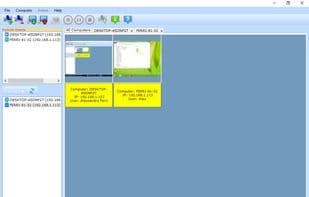
With PC Activity Viewer, you can watch, capture, record, and remotely control the mouse and keyboard of all computers on a local area network.
You must install the client on each computer you wish to monitor.
This program can connect to both PCs and Macs.
You can view all computers simultaneously from a single viewpoint.
You can capture images from monitored computers.
You can record videos from monitored computers.
You can control the mouse and keyboard of monitored computers.
You can save the current viewpoint to a local file and open it later.
How to use Pc activity viewer?
PC Activity Viewer is a LAN monitoring tool allowing users to watch, capture, record, and remotely control the mouse and keyboard of all PCs and Macs on the network from one interface for centralized management.
Core Functions of Pc activity viewer
Screen Sharing
VNC Support
Remote desktop
Remote support
Usage Scenarios of Pc activity viewer
- Monitor activities of all computers on a LAN.
- Capture screenshots of monitored computers.
- Record screen videos of monitored computers.
- Remotely control the mouse and keyboard of monitored computers.
- Save current monitoring views for later review.
Common Questions about Pc activity viewer
What does PC Activity Viewer do?
How do I use PC Activity Viewer?
What are the core features of PC Activity Viewer?
What are the use cases for PC Activity Viewer?



















