




Product Information
What is Pe explorer?
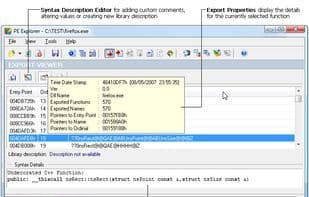
PE Explorer is the most feature-rich program for examining the inner workings of your own software and, more importantly, third-party Windows applications and libraries for which you don't have the source code. PE Explorer enables you to open, view, and edit a wide variety of 32-bit Windows executable file types (also known as PE files), ranging from common ones like EXE, DLL, and ActiveX controls to less familiar types such as SCR (screensavers), CPL (Control Panel applets), SYS, MSSTYLES, BPL, DPL, and more (including executables running on the MS Windows Mobile platform). PE Explorer allows you to peer inside these PE binaries, perform static analysis, uncover extensive information about an executable's functionality, and gather as much data as possible about the executable without running it. With PE Explorer, you can analyze software with minimal effort. After selecting the file to inspect, PE Explorer analyzes it and displays a summary of the PE header information along with all the resources contained within the PE file. From there, the tool lets you explore specific elements within the executable.
Beyond serving as an efficient resource editor, PE Explorer includes several tools that elevate it to Power Coder status: an API function syntax lookup, a dependency scanner, a section editor, a UPX unpacker, and a powerful yet user-friendly disassembler. With PE Explorer, you can inspect and examine unknown binaries, check and edit the properties of EXE and DLL files, and correct or repair the internal structure of any PE (Portable Executable) file with a single click. PE Explorer is designed for a variety of scenarios, including software development, forensic practices, reverse engineering, comprehensive binary security analysis, and binary auditing processes.
How to use Pe explorer?
PE Explorer is a feature-rich program for inspecting and analyzing the inner workings of Windows applications and libraries, especially for third-party software without source code, and supports viewing and editing various 32-bit PE files.
Core Functions of Pe explorer
Disassembler
Usage Scenarios of Pe explorer
- Software Development
- Forensic practices
- Reverse engineering
- Extensive binary security analysis
- Binary audit processes
- Malware analysis
Common Questions about Pe explorer
What does PE Explorer do?
How do I use PE Explorer?
What are the core features of PE Explorer?
What are the application scenarios of PE Explorer?



















