




Product Information
What is Pingbreak?
Free and Simple Website Monitoring
Get a direct message on Twitter, a notification on Slack, or an email when your website goes down? Join Pingbreak—free, truly free.
Our goal is to provide a simple and free service to monitor your website. We won’t sell your personal data, and we guarantee that current features will never require payment to continue using them.
**Lifetime Benefits for Beta Testers**
We don’t know what the future holds, but we do know that all future updates will always remain free for all beta testers. We love rewarding kind people. Thank you!
**Instant Notifications via Twitter**
If your website goes down, our service alerts you in real-time via Twitter. Our bot will privately notify you by sending a direct message (DM) on Twitter or through email, Slack, Discord, Mattermost, or a custom webhook.
You can monitor up to 100 URLs with a standard account, checked every minute. But if you’re friendly, we can increase your limit for free.
When your website fails, get notified via Twitter. Pingbreak checks all your sites every minute and alerts you instantly via DM.
Need anything else? You’ll choose the next feature.
Don’t look at our pricing—Pingbreak is completely free! Developed by volunteers and hosted by our generous sponsors.
We respect your privacy—no spam, no selling of your personal data.
**You Write the Roadmap** (Join the Trello roadmap to suggest features).
How to use Pingbreak?
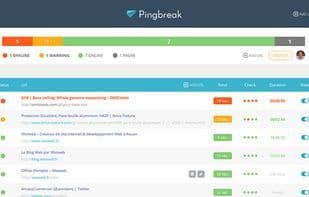
Pingbreak offers free and simple website monitoring, notifying users in real-time through multiple channels when a site goes down.
Core Functions of Pingbreak
Website Monitoring
Uptime Monitoring
Customizable time zones
Email notification
Redirect error detection
Real-time monitoring
Usage Scenarios of Pingbreak
- Receive real-time notifications for website failures.
- Get website downtime alerts via Twitter DM, Slack, Discord, email, or webhook.
- Monitor the operational status of multiple websites.
- Ensure websites are detected immediately when issues arise.
Common Questions about Pingbreak
What does Pingbreak do?
How do I use Pingbreak?
What are the core features of Pingbreak?
What are the application scenarios for Pingbreak?



















