




Product Information
What is Remote desktop commander suite?
Remote Desktop Commander Features:
View historical trend reports based on data collected by the Remote Desktop Reporter.
Use dashboards to display the performance impact of different users and applications on the server.
Search for specific types of activities in user sessions, such as network (TCP/UDP) activity, application execution, visited websites, etc., and then review recorded sessions.
"Drill down" into recorded user sessions to identify root causes of issues and perform analysis.
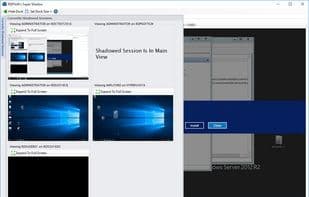
Replay recorded user session screenshots for review.
Track licensing by specified RDS/XenApp users, concurrent RDS/XenApp users, or users running specific software (concurrent or specified counts). For MSPs bound by SPLA/CSP license reporting, track RDS, Office, and other per-user SALs.
View real-time and previously recorded connection quality metrics for troubleshooting, such as client-to-server round-trip latency, error rates, packet loss rates, etc.
Monitor and report user activity hourly, daily, or weekly, and audit user productivity (idle/active time).
Run over 80 reports on collected RDS/XenApp/Horizon View session data on-demand or schedule them periodically as needed.
Automatically correlate and geolocate RDP logins/login failures, whether on RDS session hosts, Remote Desktop Gateway servers, or both. Interactive maps and dashboards show where users log in from and where RDP hacking attempts originate. Create and schedule six unique reports tracking this information.
Authenticate untrusted domains and workgroups using cached encrypted alternate credentials to manage and monitor distributed collections and farms.
And, like Remote Desktop Commander Lite, you have a functional TSAdmin replacement to proactively manage and monitor sessions currently in use in Windows 2008, Windows Server 2012, Windows Server 2016, or Windows Server 2019 terminal server farms.
How to use Remote desktop commander suite?
Remote Desktop Commander Suite is software focused on monitoring and managing Remote Desktop Services (RDS), Azure Virtual Desktop (AVD), Citrix, and other EUC platforms, offering comprehensive tools for performance monitoring, user activity tracking, session management, and reporting to ensure efficient end-user computing.
Core Functions of Remote desktop commander suite
RDP
Remote Desktop Server
Remote support
Remote desktop manager
Usage Scenarios of Remote desktop commander suite
- Review historical trend reports based on collected data and use dashboards to display performance impacts of different users and applications on servers.
- Search for specific activity types in user sessions, such as network activity, running applications, and visited websites, and analyze recorded sessions in-depth for root cause analysis.
- Track RDS/XenApp user licenses, including named users, concurrent users, and users running specific software, and review real-time and historical connection quality metrics for troubleshooting.
- Monitor and report user activity, audit user productivity (idle/active time), and automatically correlate RDP login/logout failures with geographic locations.
- Serve as an effective alternative to TSAdmin, proactively managing and monitoring active sessions in Windows terminal server farms.
Common Questions about Remote desktop commander suite
What does Remote Desktop Commander Suite do?
How do I use Remote Desktop Commander Suite?
What are the core features of Remote Desktop Commander Suite?
What are the application scenarios for Remote Desktop Commander Suite?



















