




Product Information
What is Remoteview?
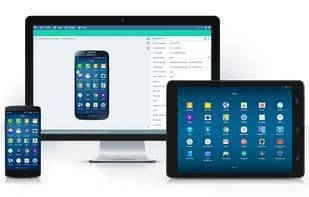
RemoteView is a service that allows you to remotely access your computers and mobile devices via an internet connection, regardless of time or location. You can easily, quickly, and securely control your computers and mobile devices in real time. You can use our iOS or Android applications to control and manage your computers. All you need to do is install the agent on the remote computer, Android device, and server.
Robust Network Security
RemoteView employs standard 256-bit encryption, featuring two-step login and SSL (Secure Socket Layer) communication. RemoteView cannot be hacked.
Flawless Performance in Any Environment
RemoteView works with all browsers, not just Internet Explorer, but also Firefox, Chrome, and Safari.
Control in Any Network Environment
Supports floating IPs, HDCP, private IPs, and firewall servers.
Fast and Smooth Control
When connecting your local computer to a remote one, RemoteView automatically uses either P2P or gateway methods based on the situation. During sessions, it utilizes VRVD and graphical control modes to deliver superior performance, functionality, and a stable connection.
How to use Remoteview?
RemoteView is remote control software enabling secure, fast internet access to and control of computers and mobile devices for remote work and device management services.
Core Functions of Remoteview
Screen sharing, desktop sharing
Usage Scenarios of Remoteview
- Remote work
- Bulk device management
- Quickly respond to customer maintenance requests remotely
- Remotely view manufacturing processes and resolve system failures
- Remotely confirm issues with self-service payment machines and provide assistance
- Batch process system checks and security patches for school computers
Common Questions about Remoteview
What does RemoteView do?
How do I use RemoteView?
What are the core features of RemoteView?
What are the application scenarios of RemoteView?



















