




Product Information
What is Ruckzuck?
RuckZuck is a free package manager for Windows, designed to keep software on your system up-to-date, even if the software wasn't originally installed via RuckZuck.
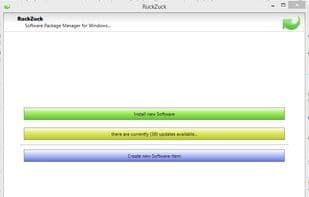
This tool offers a straightforward graphical user interface that allows you to install or upgrade software with just a few clicks. It also includes a wizard for creating new software entries and uploading them to the repository. So, if you find a piece of software missing, simply create a new record!
For advanced users, RuckZuck provides the OneGet provider, enabling software management through simple PowerShell commands (using the RuckZuck Install Provider and OneGet). You can even set up a scheduled task to automatically update your system with a single PowerShell command.
How to use Ruckzuck?
RuckZuck is a free Windows software package manager that helps users easily install, update, and manage software on their systems, even if the software wasn't installed via RuckZuck, ensuring software stays up to date.
Core Functions of Ruckzuck
Package manager
Usage Scenarios of Ruckzuck
- Keeping software on Windows systems updated
- Installing or upgrading software with one click via a graphical interface
- Creating and uploading new software entries to the software repository
- Managing software using PowerShell commands
- Creating scheduled tasks for automatic system updates
Common Questions about Ruckzuck
What does RuckZuck do?
How do I use RuckZuck?
What are the core features of RuckZuck?
What are the application scenarios for RuckZuck?



















