




Product Information
What is Samsung dex?
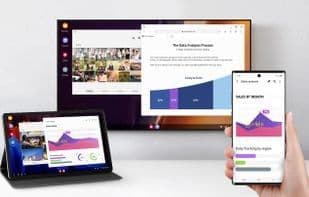
Maximize your productivity with Samsung DeX on your Samsung Galaxy device. Seamlessly switch from messaging friends to watching a movie while preparing a presentation—all on a large screen.
When using a tablet, choose your preferred mode: New DeX or Classic DeX. With New DeX mode, the tablet's UI remains unchanged, ensuring a continuous tablet experience. Opt for Classic DeX mode to transform the tablet's interface into a familiar desktop environment.
DeX goes wireless: versatile and hassle-free. You can now enjoy DeX's features without any cables.
Simply connect to a smart TV to cast content onto a big screen without disrupting your workflow.
How to use Samsung dex?
Samsung DeX aims to enhance productivity by connecting Samsung Galaxy devices to larger screens for a desktop-level experience. It allows users to multitask on a bigger display, such as sending messages, watching movies, and preparing presentations.
Core Functions of Samsung dex
Ad-Free
Screen Sharing
Multi-Monitor Support
Screen mirroring
Network Tools
Usage Scenarios of Samsung dex
- Sending Messages, Watching Movies, and Preparing Presentations Simultaneously on a Large Screen.
- Transforming Tablet Interfaces into Familiar Desktop Environments.
- Wirelessly Connecting to Smart TVs and Casting Content.
Common Questions about Samsung dex
What does Samsung DeX do?
How do I use Samsung DeX?
What are the core features of Samsung DeX?
What are the use cases for Samsung DeX?




















