




Product Information
What is Sasm?
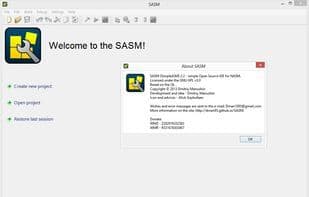
SASM - A simple cross-platform IDE for NASM, MASM, GAS, and FASM assembly languages.
In SASM, you can easily develop and execute programs written in NASM, MASM, GAS, or FASM assembly languages. Enter your code in the form and run your program. On Windows, SASM can execute programs in a separate window. Input your data in the "Input" docked field, and view the execution results in the "Output" field. All messages and compilation errors are displayed in the table at the bottom. You can save the program's source code or compiled (exe) code to a file and load programs from files.
SASM supports handling multiple open projects—opening and creating new files in new tabs. The set of currently open files is saved upon exiting SASM, allowing you to restore your previous session upon the next launch. In the settings, you can configure the font, color scheme, and initial text. SASM is available in both Russian and English.
All dialog windows in SASM are dockable—you can choose from multiple placement options. Hotkeys can also be reassigned.
The standard "Edit" menu is extended with features to comment/uncomment source code and create/remove 4-space indents (Tab/Shift+Tab).
In my program, you can use the gdb debugger interface to debug your code. You can monitor variable and register values, set breakpoints, and step through the debugged program. Additionally, you can execute any gdb command and view its results in the log at the bottom of the window.
SASM supports four assemblers—NASM, MASM, GAS, and FASM—in two modes: x64 and x86. You can select the mode in the settings under the "Build" tab. Furthermore, you can modify assembler and linker options and choose the programs used for assembling and linking.
How to use Sasm?
SASM is a simple cross-platform integrated development environment (IDE) designed for NASM, MASM, GAS, and FASM assembly languages, helping users easily develop, execute, and debug assembly programs.
Core Functions of Sasm
Based on QT
Usage Scenarios of Sasm
- Develop and execute NASM, MASM, GAS, FASM assembly language programs.
- Debug assembly programs using GDB debugger to view variable and register values.
- Manage multiple assembly projects and files with multi-tab support.
- Save and load assembly source code or compiled programs (e.g., exe files).
- Serve as a tool for beginners learning assembly language.
- Customize IDE interfaces, such as fonts, color schemes, and hotkeys.
Common Questions about Sasm
What does SASM do?
How do I use SASM?
What are the core features of SASM?
What are the use cases for SASM?


















