




Product Information
What is Sofa - macos and linux remote?
Control your Mac or Linux from your iPhone or iPad with Sofa's simple and effective user interface.
Launch apps, quit, minimize, or go full screen
Open files on your Mac or Linux machine with default or other associated apps
Browse lists, press buttons, and edit text
Access menu commands
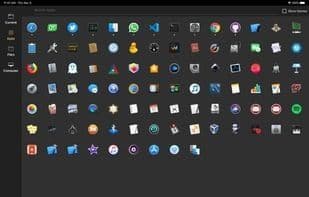
Handcrafted controls for the most popular apps and websites
Adjust volume and screen brightness
Lock the screen, put to sleep, restart, or shut down your computer
All this can be done in couch potato mode or while giving a presentation.
Sofa supports interaction with the most popular apps and websites:
Apple apps: Music, TV, Books, Photos, Preview, Photo Booth, Finder...
Chrome, Safari, Firefox, VLC, MPV, IINA, Skype...
YouTube, YouTube Music, Netflix, Amazon Prime Video, Spotify, SoundCloud, Vimeo, and more!
To connect, you'll need to run the free Sofa Server on your Mac. Visit http://tordini.org/sofa to get started.
How to use Sofa - macos and linux remote?
Sofa is a remote control tool for managing Mac or Linux computers via iPhone or iPad with a clean, efficient UI.
Core Functions of Sofa - macos and linux remote
No registration required, dark mode
No Registration Required
Dark Mode
Usage Scenarios of Sofa - macos and linux remote
- Remotely control a computer while relaxing on the couch.
- Operate Mac or Linux remotely during presentations.
- Launch, quit, minimize, or maximize applications on a computer.
- Open files on Mac or Linux.
- Adjust computer volume and display brightness.
- Lock the screen, put the computer to sleep, restart, or shut it down.
Common Questions about Sofa - macos and linux remote
What does Sofa do?
How do I use Sofa?
What are the core features of Sofa?
What are the application scenarios of Sofa?




















