




Product Information
What is Sound for remote desktop?
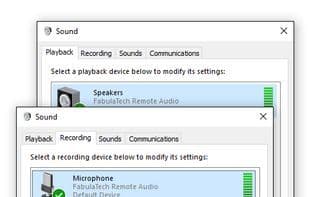
Sound for Remote Desktop is a reliable software solution that enables two-way audio connectivity between a local workstation and a remote desktop session.
Under standard conditions, bidirectional audio streaming in a remote desktop environment is problematic or even impossible for applications like Lync, Skype, NetMeeting, and Dragon NaturallySpeaking. DirectSound applications inherently do not support audio input/output functionality in remote desktop environments, making it impossible to use a microphone in an RDP session. Sound for Remote Desktop allows low-latency, high-sample-rate audio streaming to a remote Windows session without interruptions or choppy sound.
How to use Sound for remote desktop?
Sound for Remote Desktop is a reliable software solution designed to enable two-way audio connections between local workstations and remote desktop sessions, solving the challenge of audio input and output in remote desktop environments with low-latency, high-quality audio transmission.
Core Functions of Sound for remote desktop
Remote Desktop Protocol
Audio Routing
Usage Scenarios of Sound for remote desktop
- Use Microsoft Teams, Skype, or Zoom for voice calls during remote desktop sessions.
- Use voice input in remote desktop environments, such as with a microphone.
- Resolve DirectSound application issues where audio input/output is unsupported in remote desktop.
Common Questions about Sound for remote desktop
What does Sound for Remote Desktop do?
How do I use Sound for Remote Desktop?
What are the core features of Sound for Remote Desktop?
What are the use cases for Sound for Remote Desktop?




















