




Product Information
What is Sourcetree?
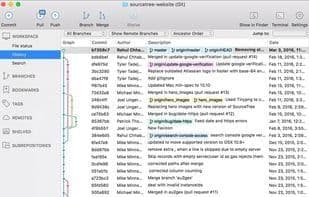
A powerful Mac and Windows client for Mercurial and Git distributed version control systems. Sourcetree removes the complexity of DVCS, making it accessible to everyone.
• Git Large File Support – Sourcetree supports Git LFS, enabling teams to track large assets in one place.
• Git-flow out of the box – Use Sourcetree with Git-flow for smart branching, keeping repositories clean and development efficient.
• Submodules – Submodules make managing projects, project dependencies, and other project groupings much easier.
• Local commit search – Search commits, file changes, and branches within Sourcetree.
• Interactive rebase – Achieve clean and clear commits with Sourcetree’s interactive rebase tool.
• Remote repository manager – Sourcetree allows you to search and clone remote repositories through its simple user interface.
How to use Sourcetree?
Sourcetree is a free Mac and Windows client for Git and Mercurial distributed version control systems. It simplifies version control complexities through an intuitive graphical user interface (GUI), helping users visualize and manage code repositories.
Core Functions of Sourcetree
Lightweight
Support Public and Private Repositories
Git-Flow Integration
Git support
Bitbucket Integration
Three-Way Merge
Usage Scenarios of Sourcetree
- Use Git LFS to track large assets.
- Use Git-flow for smart branch management to keep repositories clean and development efficient.
- Leverage Submodules to manage projects, dependencies, and project groupings.
- Search commits, file changes, and branches within Sourcetree.
- Use interactive rebase tools for a clear commit history.
- Search and clone remote repositories in the user interface.
Common Questions about Sourcetree
What does Sourcetree do?
How do I use Sourcetree?
What are the core features of Sourcetree?
What are the use cases for Sourcetree?



















