
Product Information
What is Superdev pro?
SuperDev Pro is a 14-in-1 browser extension 🧩 for web development, enabling you to inspect, edit, and optimize any website directly in your browser. It features:
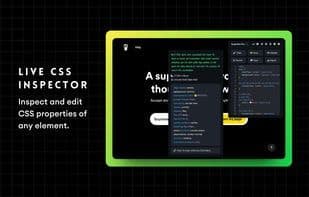
CSS Inspector: Examine or modify website elements.
Live Text Editor: Instantly edit text on websites.
Font Changer: Experiment with over 1,100 Google and local fonts.
List All Fonts: Identify all fonts used on a website.
Color Picker: Select colors at pixel precision from any site.
Color Palette: Discover all colors utilized on a website.
Move Elements: Easily reposition website elements.
Remove Elements: Delete or hide elements from a site.
Export Elements: Extract elements from a website.
Image Extractor: Download any image from a website.
Page Ruler: Measure anything on a webpage.
Page Outline: Get an overview of the entire site or HTML tags.
Image Replacer: Swap website images with local ones.
Screenshot Tool: Capture various types of screenshots.
How to use Superdev pro?
SuperDev Pro is an 18-in-1 browser extension for web development and design, providing a one-stop tool to inspect, edit, and optimize any website directly in the browser, improving work efficiency.
Core Functions of Superdev pro
Browser Extension
Usage Scenarios of Superdev pro
- Inspect and edit CSS properties of websites in real-time.
- Instantly modify text content on web pages.
- Precisely pick colors or extract complete color schemes from websites.
- Move, delete, or export any elements on a webpage.
- Extract and download images from websites.
- Measure dimensions of any elements on a webpage.
Common Questions about Superdev pro
What does SuperDev Pro do?
How do I use SuperDev Pro?
What are the core features of SuperDev Pro?
What are the use cases for SuperDev Pro?