




Product Information
What is Trippy?
Trippy combines the functionalities of Traceroute and ping, designed to assist in network issue analysis.
**Powerful Tracing Capabilities**
- Supports ICMP, UDP, and TCP based on IPv4 and IPv6 protocols
- Fully customizable tracing options
- Dublin and Paris ECMP policies
- ICMP extension objects (e.g., MPLS)
- Reverse DNS and ASN lookups
- NAT detection
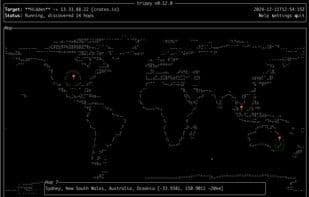
**GeoIp Visualization on a World Map**
- Retrieves GeoIp information and displays it on a world map
- Supports MaxMind and IPinfo databases
**Runs on Your Platform**
- Compatible with Linux, macOS, Windows, and *BSD
- Supports x86_64, aarch64, and arm7 architectures
- Available in most native package managers
- Operates in unprivileged mode
**Highly Customizable TUI**
- Customizable columns, color themes, and key bindings
- Hop detail navigation mode
- Hop privacy mode
- Displays individual trace processes
- Various charts and statistics
- Saves configurations to files
- Available in 10 languages
How to use Trippy?
Trippy integrates the functionalities of traceroute and ping, designed to assist in network problem analysis and provide robust network diagnostic capabilities.
Core Functions of Trippy
Command Line Interface
Rust
TUI
DNS
Usage Scenarios of Trippy
- Analyze network connection failures
- Perform network path tracing
- Visualize GeoIP information on a world map
- Run network diagnostic tools on various operating systems like Linux, macOS, and Windows
- Monitor networks through highly customizable terminal user interfaces
Common Questions about Trippy
What does Trippy do?
How do I use Trippy?
What are the core features of Trippy?
What are the use cases for Trippy?



















