




Product Information
What is Universal extractor 2?
Universal Extractor 2, or Universal Extractor (Bioruebe version) as it's also known to avoid confusion, is an unofficial update and extended version of Jared Breland's original Universal Extractor. As development on the original version has ceased with no updates released for years, numerous forks (community-modified and maintained versions) of Universal Extractor have emerged. This is the most advanced and the only one with a public GitHub-hosted source code repository for fully transparent development.
As a brief overview, here are some of the new features in this version:
Batch mode
Silent mode with no prompts
Scan-only mode to determine file types without extraction
Integrated updater
100+ newly supported file types
Audio and video extraction for multimedia files
Cascading context menus
Support for password lists for common archives
Improved status box with progress indicators
New detection methods + more detailed output and error messages
Support for some extractors not shipped with UniExtract as plugins
Resource usage/speed improvements, numerous fixes
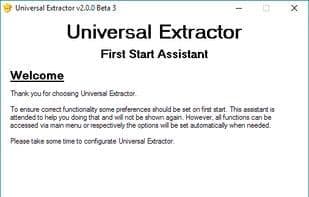
Launches the assistant first instead of the installer
Portable version with full functionality
Automatically uses 64-bit versions of extractors if supported by the OS
See the changelog for a full log of all improvements. Feel free to use the Issues tab here or the built-in feedback window in Universal Extractor to submit bug reports or feature requests; check todo.txt for a list of features that may be included in future versions.
Universal Extractor uses Marco Pontello's TrIDLib and many other excellent tools and libraries to support as many file formats as possible. A detailed list can be found here.
How to use Universal extractor 2?
Universal Extractor 2 is an unofficial update supporting numerous file formats, extracting Windows executables and archives.
Core Functions of Universal extractor 2
Portable, multilingual
Usage Scenarios of Universal extractor 2
- Batch extract multiple file types
- Automatically extract files in silent mode
- Scan file types only without extraction
- Extract audio and video content from multimedia files
- Use password lists to extract protected common archives
Common Questions about Universal extractor 2
What does Universal Extractor 2 do?
How do I use Universal Extractor 2?
What are the core features of Universal Extractor 2?
What are the application scenarios of Universal Extractor 2?


















