




Product Information
What is Usbdeview?
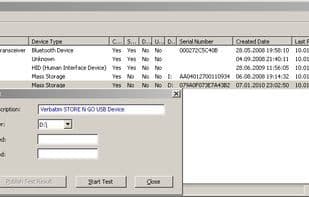
Comparing the read and write speeds of USB flash drives: USBDeview is a compact utility that lists all USB devices currently connected to your computer as well as all those previously used.
For each USB device, detailed information is displayed: device name/description, device type, serial number (for mass storage devices), date/time the device was added, vendor ID, product ID, and more... USBDeview also enables you to uninstall previously used USB devices, disconnect those currently connected to your computer, and disable or enable USB devices.
Additionally, you can use USBDeview on a remote computer, provided you log in with administrator privileges.
How to use Usbdeview?
USBDeview is a compact utility listing and managing all USB devices currently or previously connected to a computer, showing details and enabling uninstall, disconnect, disable, or enable functions.
Core Functions of Usbdeview
Portable
Internet speed test
USB diagnostics
Uninstall devices
USB Device Management
Usage Scenarios of Usbdeview
- View all connected and previously used USB devices on your computer.
- Get detailed information on USB devices, such as name, type, serial number, and addition date.
- Uninstall previously used USB devices.
- Disconnect currently connected USB devices.
- Disable and enable USB devices.
- Manage USB devices on remote computers.
Common Questions about Usbdeview
What does USBDeview do?
How do I use USBDeview?
What are the core features of USBDeview?
What are the application scenarios for USBDeview?




















