
Product Information
What is Uthrottle?
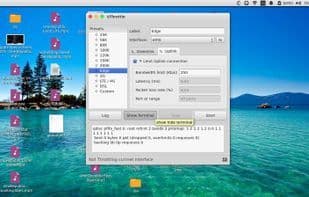
Uthrottle is a tool designed to simulate custom connection conditions and restrict network traffic to specified speeds on network interfaces. In complex service-oriented application stacks, certain issues only manifest under congested or slow network conditions. Therefore, to test and create a sluggish environment for evaluating how these systems perform, you need to reduce network interface speeds and adjust various other factors like latency rates. With Uthrottle, you can accomplish all this swiftly and set up an environment to test your projects. The application can throttle multiple interfaces simultaneously and perform various operations without conflicts. It's akin to the "Slowy" app on Mac but with enhanced features and real-time interface updates.
How to use Uthrottle?
Uthrottle is a network simulation tool for testing app behavior under slow or congested conditions by customizing connection speeds and throttling traffic, helping developers identify and fix bugs unique to such environments.
Core Functions of Uthrottle
Internet speed test
Usage Scenarios of Uthrottle
- Simulate custom network connection conditions
- Limit network interface traffic to specified speeds
- Create slow network environments to test app bugs under congestion or slow interfaces
- Set up specific network testing environments for projects
- Simultaneously limit traffic on multiple network interfaces
Common Questions about Uthrottle
What does Uthrottle do?
How do I use Uthrottle?
What are the core features of Uthrottle?
What are the application scenarios of Uthrottle?