




Product Information
What is Vmmanager?
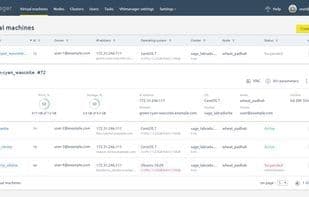
VMmanager automatically creates KVM-based virtual machines. It offers flexible features to control and manage virtual infrastructure. The free version of VMmanager has no functional limitations for 30 days. Pricing depends on the scale of your infrastructure.
Modern Interface. VMmanager boasts a user-friendly interface and smart user experience, making it easy to tackle any task. Just try it out, and you’ll be amazed by its intuitiveness!
Stable and Secure. VMmanager receives new security updates weekly. The ISPsystem development team continuously works to enhance user experience while maximizing system stability and security.
Statistics and Monitoring. You can track the performance of virtual machines over time using specific parameters. Load statistics are collected every 15 minutes.
Integration with Billing Platforms. VMmanager integrates with popular billing platforms like BILLmanager and WHMCS, enabling automated VPS service provisioning for your customers.
How to use Vmmanager?
VMmanager is a Linux-based VPS management web control panel that automatically creates KVM-based virtual machines and offers flexible features to control and manage virtual infrastructure.
Core Functions of Vmmanager
Multi-Location Control
High availability
Management programs
Integration with WHMCS
Virtualization
KVM over IP
Usage Scenarios of Vmmanager
- Automatically create KVM-based virtual machines.
- Control and manage virtual infrastructure.
- Monitor the performance of virtual machines.
- Automate the provisioning of VPS services to customers through an integrated billing platform.
- Support password changes and automatic installations using pre-configured templates.
- Manage Windows virtual machines.
Common Questions about Vmmanager
What does VMmanager do?
How do I use VMmanager?
What are the core features of VMmanager?
What are the use cases for VMmanager?



















