




Product Information
What is Vmtek?
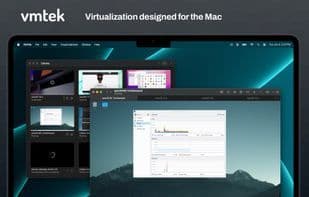
Vmtek is the Mac virtualization platform you've been waiting for. Easily run multiple instances and versions of macOS*, Linux, and other operating systems in parallel on your Mac. Designed from the ground up with high-performance native Mac virtualization, it leverages the latest macOS features, allowing you to focus on getting work done—configure new virtual machines with your chosen operating system in just a few simple clicks. The streamlined, Mac-centric user interface makes working with Vmtek virtual machines a pleasure.
Note: The free trial is not a subscription, and we do not offer any subscriptions. After the free trial, you won’t be charged anything. If you love Vmtek, support its development by purchasing a license. Vmtek offers:
- Outstanding performance
- Easy setup with automatic guest downloads
- Support for the latest virtualization standards
- Snapshot support with a full graphical snapshot manager
- File sharing with guests
- Mac trackpad support
- NAT and bridged networking, multiple adapters
- Multiple fixed and removable disks, managed disks
- Native Retina display support
- Hardware-accelerated graphics for macOS guests
- Audio playback and microphone support
- Virtual machine cloning—online and offline
- Keyboard shortcut support
- Copy-paste integration
- Automatic macOS guest installation
- And more in the works!
Note: macOS guests require an Apple Silicon Mac. Supports guests on macOS 12 and later. Windows guests are not yet supported.
How to use Vmtek?
Vmtek is a virtualization platform designed for Mac, enabling users to easily run multiple instances and versions of macOS, Linux, and other operating systems on Mac, delivering high performance and a native Mac experience.
Core Functions of Vmtek
Virtualization
Usage Scenarios of Vmtek
- Run multiple instances of macOS, Linux, or other operating systems simultaneously on a Mac.
- Quickly deploy and configure new virtual machines.
- Use snapshot functionality to manage different states of virtual machines.
- Perform high-performance file sharing between the host and virtual machines.
- Clone virtual machines to meet various needs.
- Easily manage virtual machines through an intuitive user interface.
Common Questions about Vmtek
What does Vmtek do?
How do I use Vmtek?
What are the core features of Vmtek?
What are the use cases for Vmtek?



















