




Product Information
What is Wifi analyzer - vrem?
Nowadays, user privacy and security are major concerns. WiFi Analyzer (open-source) is designed to use as few permissions as possible, requesting just enough data to perform its analysis. Plus, it's entirely open-source, so there's nothing hidden! Most notably, this app does not require internet access, ensuring that it neither sends any personal/device information to other sources nor receives any from them.
WiFi Analyzer is actively developed by volunteers.
It is free, ad-free, and collects no personal information.
WiFi Analyzer is not a WiFi password cracker or phishing tool.
Features:
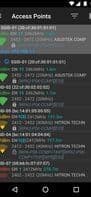
- Identify nearby access points
- Graphical channel signal strength
- Plot access point signal strength over time
- Analyze WiFi networks to rate channels
- HT/VHT detection – 40/80/160MHz (requires Android OS 6+)
- Access point view in full or compact mode
- Estimated distance to access points
- Export access point details
- Dark or light theme options
- Pause/resume scanning
- Available filters: WiFi band, signal strength, security, and SSID
- Vendor/OUI database lookup
Usage Tips:
- Tap the title bar to switch between 2.4 and 5 GHz WiFi bands.
- Swipe to manually refresh the screen content.
- Swipe left/right at the bottom of the screen to navigate to the next/previous screen.
- SSIDs marked with (***) indicate hidden networks.
How to use Wifi analyzer - vrem?
WiFi Analyzer is a free, ad-free Android app for optimizing WiFi networks by analyzing signals, prioritizing privacy with no data collection.
Core Functions of Wifi analyzer - vrem
WiFi Signal Measurement
Usage Scenarios of Wifi analyzer - vrem
- Optimize Wi-Fi networks by checking surrounding Wi-Fi signals.
- Analyze Wi-Fi networks to assess channel quality.
- Find the best 5 GHz Wi-Fi channel.
- Learn about different Wi-Fi standards (e.g., Wi-Fi 4/5/6/6E/7) to make informed wireless router/AP upgrade decisions.
- Diagnose and resolve Wi-Fi connection issues.
Common Questions about Wifi analyzer - vrem
What does WiFi Analyzer do?
How do I use WiFi Analyzer?
What are the core features of WiFi Analyzer?
What are the use cases for WiFi Analyzer?




















