




Product Information
What is Wifi network testing?
Obtain the following details:
Wireless Internet:
- The name/SSID of the access point/router you are connected to
- The MAC address of the access point/router you are connected to
- Channel details; connection password/encryption type
- Details of nearby routers/access points; signal strength and MAC information, SSID, and neighboring channel utilization
Connectivity:
- Connection detection using ping
- Speed test and packet loss
- IP and DNS information
- VPN detection
Optional built-in enterprise features:
- Determine if you are on an organization's network/intranet
- Assign custom AP names to access points/routers within the organization (useful for identifying which access point in a building is causing issues, channel overlap, or evil twin attacks)
How to use Wifi network testing?
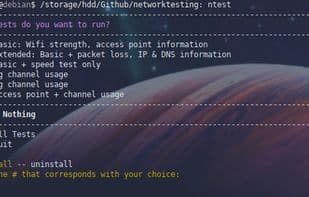
This CLI tool scans WiFi networks for troubleshooting, offering detailed info on connectivity and enterprise networks to diagnose issues.
Core Functions of Wifi network testing
Wireless Scanner
Network Scanner
WiFi Signal Measurement
Usage Scenarios of Wifi network testing
- Scan Wi-Fi networks and obtain detailed troubleshooting information.
- Detect internal network connection status within an organization.
- Identify problematic access points within a building.
- Discover Wi-Fi channel overlap issues.
- Detect evil twin attacks.
- Assign custom names to access points within an organization.
Common Questions about Wifi network testing
What does Wifi Network Testing do?
How do I use Wifi Network Testing?
What are the core functions of Wifi Network Testing?
What are the application scenarios of Wifi Network Testing?


















