




Product Information
What is Wiki.js?
Write content in the widely-used and simple Markdown format using the built-in visual editor. Unlike other wiki software that stores content in databases with hard-to-extract formats, Wiki.js saves all content directly into Markdown (.md) files, which are automatically synced with a remote Git repository. This ensures your content is secure and can be read directly from the Git repository. Wiki.js runs on the ultra-fast Node.js engine and is optimized to minimize CPU usage. It heavily relies on caching to deliver content quickly to users and leverages the latest web technologies, such as WebSocket, to provide instant interactivity within web pages.
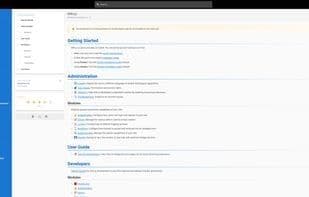
Content is automatically formatted into a beautifully readable layout and presented in an elegant user interface. A sidebar menu is generated for each page based on headings, with sections color-coded to enhance readability.
Choose to restrict access to your wiki for certain users or even specific content. You have full control through the easy-to-use access management built into Wiki.js. Log in via a local database or connect with external authentication providers like Microsoft accounts, Google IDs, or Facebook to offer your users a seamless login experience.
Insert images, diagrams, documents, videos, links, and more into Wiki.js using the built-in asset manager. Organize your media files into folders and let the built-in editor generate the correct Markdown tags for you. You can even have Wiki.js fetch images from external websites for you. Once again, all your files are automatically synced to a remote Git repository for safekeeping.
Quickly find the wiki entry you're looking for with the built-in search engine, accessible from any page. It analyzes your wiki entries' metadata and content to deliver relevant results and suggestions.
How to use Wiki.js?
Wiki.js is an open-source, modern wiki application built on Node.js, Git, and Markdown. It allows users to create and manage content using a built-in visual editor, automatically syncing all content to a remote Git repository for secure and accessible storage.
Core Functions of Wiki.js
Markdown Support
Built-in Certification
Wiki
Built-in Search Engine
Knowledge Base
Git support
Usage Scenarios of Wiki.js
- Use the built-in visual editor to write and edit wiki content in Markdown format
- Automatically sync wiki content to a remote Git repository for version control and backup
- Restrict access to specific users or content sections with fine-grained access control
- Insert various media files like images, documents, and videos into the wiki using the built-in asset manager
- Quickly find wiki entries and related information with the built-in search engine
- Enable seamless login via external authentication providers (e.g., Microsoft Account, Google ID)
Common Questions about Wiki.js
What does Wiki.js do?
How do I use Wiki.js?
What are the core features of Wiki.js?
What are the application scenarios of Wiki.js?




















