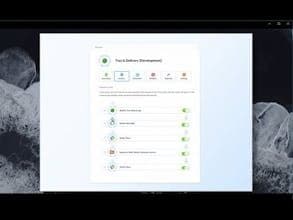
Product Information
What is X64dbg?
x64dbg is a 64-bit assembler-level debugger for Windows. The corresponding 32-bit debugger is called x32dbg.
Key Features:
- Open Source
- Intuitive and familiar new user interface
- C-like expression parser
- Full-featured debugging for DLL and EXE files (TitanEngine)
- IDA-like sidebar with jump arrows
- IDA-like instruction highlighting (registers, etc.)
- Memory map
- Symbol view
- Thread view
- Context-sensitive register view
- Fully customizable color scheme
- Dynamic module and string recognition
- Integrated import reconstructor (Scylla)
- Fast disassembler (BeaEngine)
- User database (JSON) for comments, labels, bookmarks, etc.
- Plugin support with a growing API
- Extensible and debuggable automation scripting language
- Multiple data type memory dump
- Basic debug symbol (PDB) support
- Dynamic stack view
- Built-in assembler (XEDParse)
- View and save your patches to disk
- Built-in hex editor
- Search for patterns in memory
How to use X64dbg?
x64dbg is an open-source 64-bit assembly-level debugger for Windows (also supports 32-bit apps), offering an intuitive and feature-rich debugging experience.
Core Functions of X64dbg
Portable
Debugging
Static Analysis
64-bit support
Usage Scenarios of X64dbg
- Debug DLL and EXE files
- Patch executable files
- Automate debugging tasks
- Conduct program analysis
- Extend debugger functionality via plugins
- Manage notes, labels, and bookmarks during debugging
Common Questions about X64dbg
What does x64dbg do?
How do I use x64dbg?
What are the core features of x64dbg?
What are the use cases for x64dbg?