




Product Information
What is Retime?
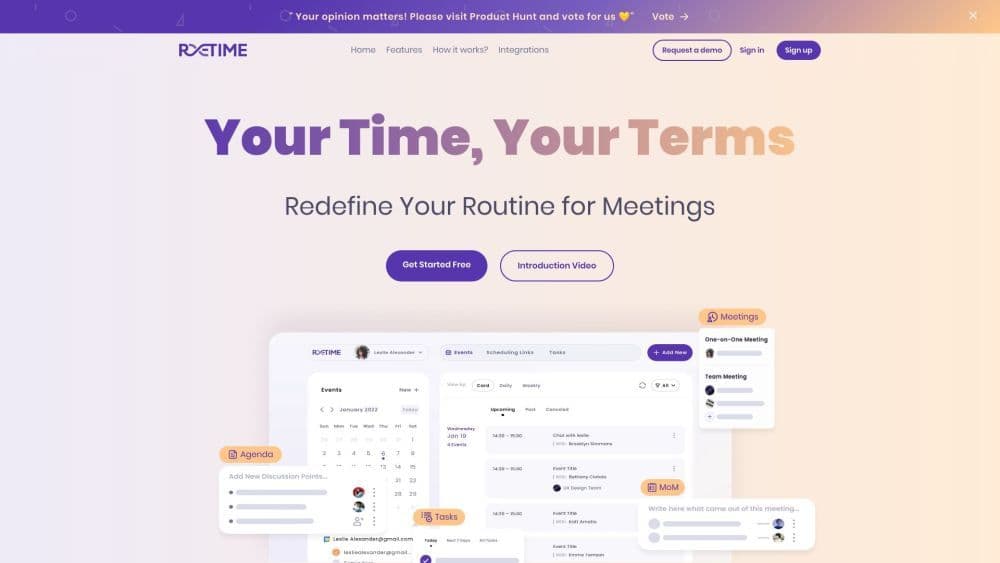
ReTime is a free online dating and appointment booking software that allows users to effortlessly schedule and manage their meetings, dates, and team discussions. It offers a fundamentally different appointment experience, redefining your daily meeting arrangements.
How to use Retime?
To use ReTime, follow these steps:
1. Define your schedule by syncing with Google Calendar or setting availability manually.
2. Share your booking page link or embed it on your website to invite visitors.
3. Visitors select from available slots, and events automatically sync to your calendar.
Core Functions of Retime
Agenda: Write discussion points and track team meetings.
Action items: Easily assign and track tasks.
Define Availability: Set your preferred schedule or sync with Google Calendar.
Advanced Options: Customize meeting preferences and settings.
Date Overrides: Override default availability for specific dates.
Calendar Sync: Integrate with Google Calendar, Zoho, Office365 Calendar, etc.
Timezone Adjustments: Manage meetings across different time zones.
Usage Scenarios of Retime
- Businesses and professionals seeking simple yet powerful meeting and appointment booking tools
- Teams and remote workers looking to streamline collaboration and communication processes
- Organizations and individuals aiming to eliminate ad-hoc and conflicting meetings
- Companies and individuals desiring a unified view across different calendars and platforms
Common Questions about Retime
How do I sync ReTime with Google Calendar?
Can I customize meeting preferences and settings in ReTime?
Which calendar platforms does ReTime integrate with?
Is ReTime suitable for remote teams?
What are the main benefits of using ReTime for meeting bookings?



















