Fansoso
Like.tg
CommunityOnline ServiceOfficial ChannelFraud CheckCurrency Tool
HomeProductsUltimaps: Create color-coded interactive maps with AI in seconds.
Ultimaps
product
This product service is provided by third-party merchants. Please identify the service quality to avoid being deceived.

Ultimaps: Create color-coded interactive maps with AI in seconds.

(3 reviews)
Disclaimer
Applicable Scope
Product Information
User Reviews
Related Products
Disclaimer
This product is listed by LIKETG on behalf of third-party merchants. Products/services/after-sales are all provided by third-party merchants, not official LIKETG products. All activities, benefits, and restrictions are unrelated to LIKETG official. Please identify carefully.

Applicable Scope

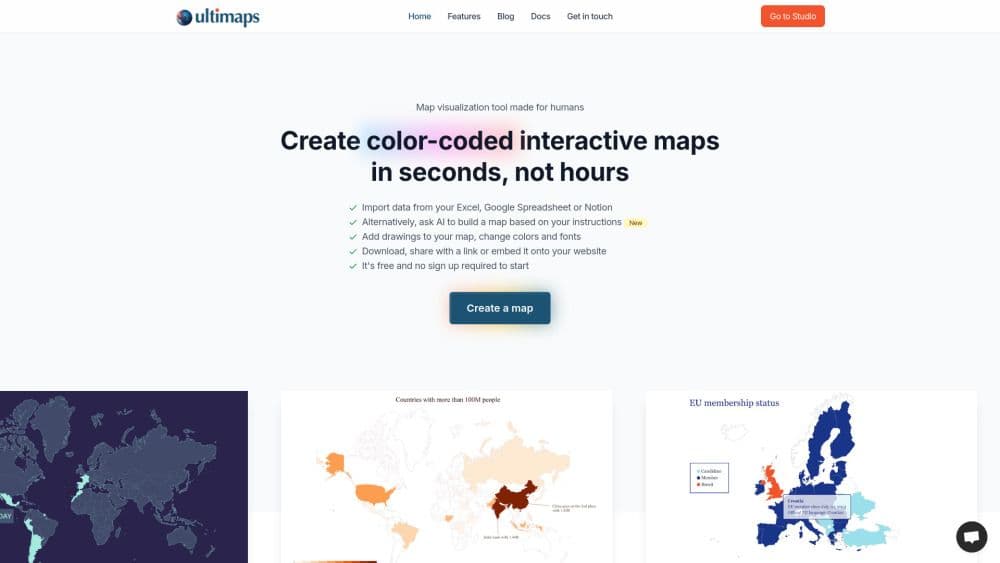
Ultimaps is an online application that enables users to create color-coded maps and charts in seconds, based on Excel files or AI prompts. The maps can be exported in printable formats, shared via links, or embedded into websites, adding interactive elements. With our newly added AI support, you can now effortlessly create your map charts and visualizations by simply typing, "I want a map of Europe with France, Spain, and Italy in red, Nordic countries in blue, and the rest in white. The background should be gray." Bring your visualizations to life with interactive features like tooltips and pop-ups, allowing you to enrich the information in your visuals. No specialized knowledge required—we aim to make it easy for everyone to use!

Product Information

What is Ultimaps?

Ultimaps is an online application that enables users to create color-coded maps and charts in seconds, based on Excel files or AI prompts. The maps can be exported in printable formats, shared via links, or embedded into websites with interactive elements. With our newly added AI support, you can now effortlessly create your map charts and visualizations by simply typing, "I want a map of Europe with France, Spain, and Italy in red, Nordic countries in blue, and the rest in white. The background should be gray." Bring your visualizations to life with interactive features like tooltips and pop-ups, allowing you to enrich the information in your visuals. No specialized knowledge required—we aim to make it easy for everyone to use!

How to use Ultimaps?

In Ultimaps Studio, select a base map (e.g., U.S. map), choose "Use AI," and enter instructions like: "Make Oklahoma, Texas, Arkansas, and Louisiana pink; California and Arizona orange; Michigan, Ohio, Minnesota yellow; other states white; background #CCCCDD."

Core Functions of Ultimaps

Use AI to create maps based on your instructions
Import data from Excel, Google Sheets, or Notion
Add drawings to maps, change colors and fonts
Create maps with interactive elements
Download, share links, or embed in your website

Usage Scenarios of Ultimaps

  • Presentations
  • Infographics
  • Map making
  • Data analysis
  • Sales territory maps

Common Questions about Ultimaps

No common questions available, please contact customer service for details

User Reviews

No reviews yet, come and publish your review
5 out of 5
Would you recommend Ultimaps ? Publish your review

Disclaimer

This product is listed by LIKETG on behalf of third-party merchants. Products/services/after-sales are all provided by third-party merchants, not official LIKETG products. All activities, benefits, and restrictions are unrelated to LIKETG official. Please identify carefully.
Featured Suppliers