


Fansoso
Like.tg
CommunityOnline ServiceOfficial ChannelFraud CheckCurrency Tool
HomeProductsMiTeC HexEdit
MiTeC HexEdit
product
This product service is provided by third-party merchants. Please identify the service quality to avoid being deceived.

MiTeC HexEdit

(0 reviews)
Disclaimer
Applicable Scope
Product Information
User Reviews
Related Products
Disclaimer
This product is listed by LIKETG on behalf of third-party merchants. Products/services/after-sales are all provided by third-party merchants, not official LIKETG products. All activities, benefits, and restrictions are unrelated to LIKETG official. Please identify carefully.

Applicable Scope

十六进制文件编辑器。

Product Information

What is Mitec hexedit?

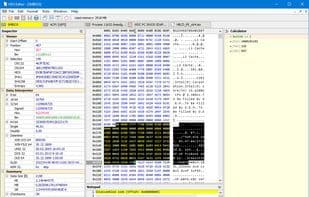
HexEdit 是一个功能强大的十六进制编辑器,可以检查文件、驱动器和内存。 例如,选择“文件”菜单,您可以选择要查看的文件、存储设备或 RAM 块。而且它非常灵活,超出了我们对如此小型、便携式实用程序的预期。例如,如果您选择查看 RAM,则只需单击一下即可打开 BIOS、系统管理 BIOS、视频 BIOS 或自定义 RAM 范围。 打开目标后,您可以浏览其内容、使用搜索或搜索和替换工具或手动编辑内容。如果您需要打开其他内容,请继续 - HexEdit 为您启动的每个项目添加一个新选项卡。还有一些不寻常的操作选项,例如您可以将一个文件插入另一个文件、追加文件或根据各种编码(ANSI、OEM 代码页 850、ASCII 7 位、MAC、EBCDIC 代码页 038)转换文件。 如果这还不够,您还可以获得强大的附加功能,包括反汇编程序和科学计算器:对于便携式工具来说还不错,下载量仅为 1MB。

How to use Mitec hexedit?

MiTeC HexEdit是一款功能强大的十六进制编辑器,能够检查和编辑文件、驱动器和内存,并提供灵活的RAM查看选项以及多种文件操作和辅助工具。

Mitec hexedit Core Functions of

便携式
十六进制编辑器
文件比较

Mitec hexedit Usage Scenarios of

  • 检查文件、存储设备或内存块的内容。
  • 打开并查看BIOS、系统管理BIOS、视频BIOS或自定义RAM范围。
  • 浏览内容,使用搜索或搜索和替换工具。
  • 手动编辑文件或内存内容。
  • 在一个文件中插入另一个文件,或追加文件。
  • 根据不同编码(如ANSI、OEM Codepage 850)转换文件。

Mitec hexedit Common Questions about

MiTeC HexEdit做什么的?
我如何使用MiTeC HexEdit?
MiTeC HexEdit有哪些核心功能?
MiTeC HexEdit有哪些应用场景?

User Reviews

No reviews yet, come and publish your review
5 out of 5
Would you recommend Mitec hexedit ? Publish your review

Disclaimer

This product is listed by LIKETG on behalf of third-party merchants. Products/services/after-sales are all provided by third-party merchants, not official LIKETG products. All activities, benefits, and restrictions are unrelated to LIKETG official. Please identify carefully.
















