




Product Information
What is Downloadmonitor?
DownloadMonitor is a lightweight, highly customizable Windows program designed for real-time network usage monitoring.
You can use it to simply display your current network activity or delve deeper to identify which specific processes are utilizing your connection. This data can be tracked over time, enabling you to set up alerts and schedule reports.
The database can be exported to CSV or opened directly in any SQLite viewer. DownloadMonitor is built to function in all scenarios, regardless of user permissions. It can be installed and run—albeit in a more limited capacity*—without admin rights, making it ideal for work or school computers.
It also boasts a highly customizable interface, giving you full control over colors, fonts, and opacity. Choose from preset themes or manually tweak these elements to craft your own unique look.
**Key Features:**
- Adjust the app's color, font, and border style using built-in themes or by creating your own.
- Per-monitor (V2) DPI awareness.
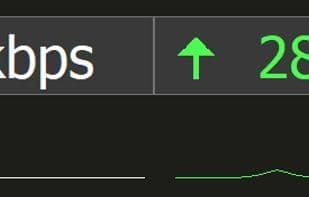
- Pull down on the app to reveal a mini-graph of current upload/download usage.
- Quick monitor switcher: right-click for a list of available monitors and select one to move the app there.
- Hover over the app to see a list of processes consuming the most network bandwidth.
- Track per-process network usage, set up alerts, and receive scheduled reports in your inbox.
DownloadMonitor offers a 30-day free trial so you can evaluate whether it meets your needs before purchasing. Upon purchase, you’ll receive a lifetime, unlimited activation key.
*Admin rights are required to install the Process Monitor Service, which enables DownloadMonitor to access per-process network data. Without this service, the process quick-view screen, historical reporting, alerts, and scheduled emails will be unavailable.
*The terms "lifetime" or "unlimited" activations refer to a typical number of activations a user may perform over a reasonable period. These terms do not permit commercial use or redistribution of the software. Any usage deemed "excessive" or abusive will be reviewed case by case. DownloadMonitor/Yarsoft reserves the right to revoke license keys at any time. Note that revoking a key will not disable existing activations but will prevent further activations using that key. Revocation is a last resort, typically enforced in cases of unauthorized sharing or other violations of the license agreement.
How to use Downloadmonitor?
DownloadMonitor is a lightweight, highly customizable Windows program for real-time network usage monitoring, detailing which processes are using the connection, tracking data usage, configuring alerts, and generating reports.
Core Functions of Downloadmonitor
Lightweight, no tracking, no ads, internet speed test
Usage Scenarios of Downloadmonitor
- View real-time network usage.
- Identify and monitor which processes are consuming network resources.
- Track network data long-term and set up alerts.
- Receive preset periodic network usage reports.
- Export network usage data for further analysis.
- Perform basic network monitoring on computers without admin rights.
Common Questions about Downloadmonitor
What does DownloadMonitor do?
How do I use DownloadMonitor?
What are the core features of DownloadMonitor?
What are the application scenarios for DownloadMonitor?



















