
产品信息
什么是 Downloadmonitor?
DownloadMonitor is a lightweight, highly customisable Windows program used for monitoring your network usage in real-time
You can use it to simply show your current network usage, or dive deeper and view exactly which processes are using your connection. This data can be tracked over time, allowing you to configure alerts and scheduled reports.
You can also export the database to a CSV, or even open it directly in any SQLite viewer.DownloadMonitor is designed to be usable in all scenarios, no matter what permissions are available to the user. It can be installed and run, in a more limited state*, without admin rights, making it perfect on a work or school computer.
It also features a highly customisable user interface, giving you full control over colours, fonts and opacity.您可以从预制主题中进行选择,也可以手动调整这些元素以创建您自己的独特外观。
特点细分:
Adjust the colour, font and border style of the app, either with one of the build-in themes or by creating your own
每显示器 (V2) DPI 感知
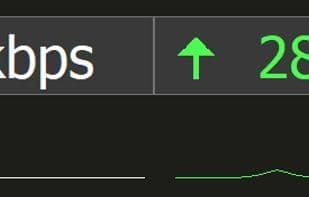
Pull down on the application to reveal a mini graph showing the current Upload/Download usage
Quick monitor switcher, right-click for a list of all available monitors, select one to move the application there
Hover over the application to see a list of processes consuming the most network
Track network usage per-process , setup alerts, and have scheduled reports sent to your inboxDownloadMonitor 提供 30 天免费试用,以便在购买前查看它是否符合您的需求。您购买后将获得终身、无限制的激活密钥。
*安装 Process Monitor Service 需要管理员权限,该服务允许DownloadMonitor 访问每个进程的网络数据。 The process quick view screen, historical reporting, alerts and scheduled emails will be unavailable without this service installed.
*The terms “lifetime” or “unlimited” activations refer to a typical number of activations a user may perform over a reasonable time period. These terms do not permit commercial use or redistribution of the software.任何被视为“极端”或滥用的使用都将根据具体情况进行审查。DownloadMonitor /Yarsoft 保留随时撤销许可证密钥的权利。请注意,撤销密钥不会禁用现有激活,但会阻止使用该密钥进行进一步激活。撤销是最后的手段,通常在未经授权的共享或其他违反许可协议的情况下强制执行。
如何使用 Downloadmonitor?
DownloadMonitor 是一款轻量级、高度可定制的 Windows 程序,用于实时监控网络使用情况,并能深入查看具体哪些进程正在使用网络连接。它帮助用户跟踪网络数据、配置警报和生成报告。
Downloadmonitor 的核心功能
轻量级,无追踪,无广告,网络测速
Downloadmonitor 的使用场景
- 实时查看当前网络使用情况。
- 识别并监控具体哪些进程正在消耗网络资源。
- 长期跟踪网络数据,并配置警报。
- 接收预设的定期网络使用报告。
- 将网络使用数据导出进行进一步分析。
- 在没有管理员权限的电脑上进行基础网络监控。
Downloadmonitor 的常见问题
DownloadMonitor做什么的?
我如何使用DownloadMonitor?
DownloadMonitor有哪些核心功能?
DownloadMonitor有哪些应用场景?