
Product Information
What is Minitoolbox?
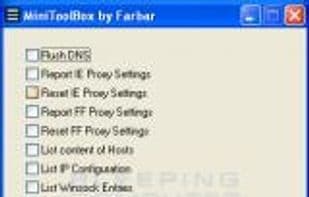
MiniToolBox detects Internet connection issues due to LSP corruption or hijacking, proxy settings, and network adapter problems. It can also be used to detect search redirects and router hijacking. The tool also has some additional features, such as flushing the DNS cache, listing installed programs, listing devices in Device Manager, enumerating the last 10 Event Viewer errors, enumerating drives, and the contents of the hosts file.
How to use Minitoolbox?
MiniToolBox is a diagnostic tool primarily for detecting and resolving internet connection issues, such as LSP corruption, proxy misconfigurations, and network adapter failures. It also identifies search redirects and router hijacking to help troubleshoot network problems.
Core Functions of Minitoolbox
Portable Web Tools
Usage Scenarios of Minitoolbox
- Diagnose internet connection issues
- Detect search redirection problems
- Identify router hijacking
- Flush DNS cache
- View a list of installed programs
- List devices in Device Manager
Common Questions about Minitoolbox
What does MiniToolBox do?
How do I use MiniToolBox?
What are the core functions of MiniToolBox?
What are the application scenarios of MiniToolBox?